
Session recordings
Watch what a person did in your product, with the page as they saw it, to find out why a number moved.
A recording replays one visit: the page as the person saw it, where the pointer went, what they clicked and how the page changed. Recordings are off until you turn them on.
Turn them on
Open Settings → Data & privacy and switch on Session recordings. You need the Workspace settings permission.
- Sessions to record sets the share of sessions that are recorded, from 100% down to 1%.
- Only identified people records nothing until your product calls
Cueston.identify(). - Hide all page text shows asterisks instead of text in every recording. Use it when your pages show personal or confidential data throughout.
Keep parts of a page out
Ask a developer to mark them in your product's code:
data-cueston-maskhides an element's text. The recording shows asterisks.data-cueston-blockleaves an element out. The recording shows an empty box of the same size.
See JavaScript API.
Watch a recording
Open Insights → Recordings. Sessions are listed newest first with their length, active time, clicks and friction signals. Search by user id, or show only sessions with friction.
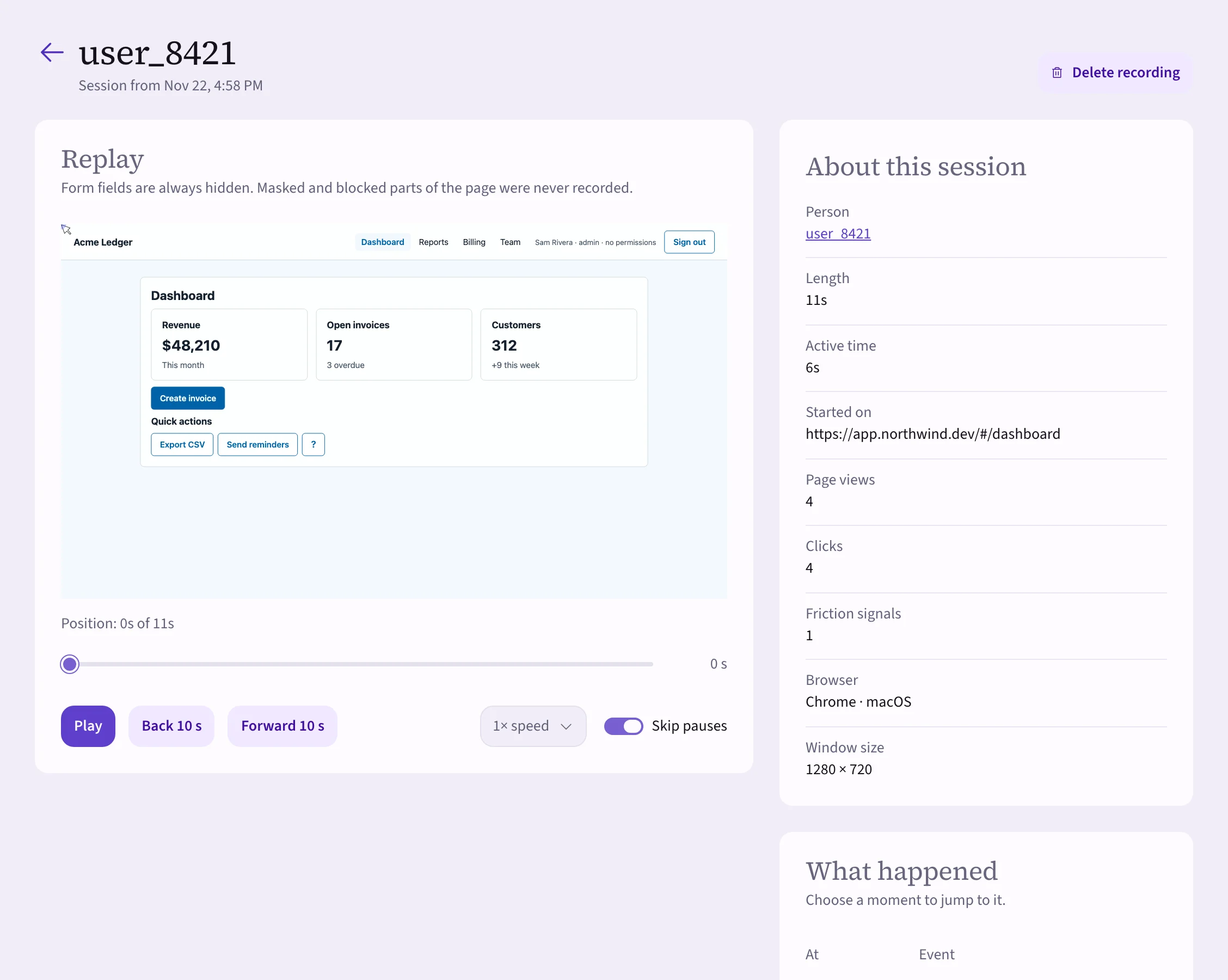
Open a session to play it. The replay shows the page as the person saw it, including any Cueston guide that was on screen. You can change the speed, jump 10 seconds, and Skip pauses to pass over the time nothing happened.
 (opens the full-size image)
What happened lists the session's moments next to the replay: pages opened, clicks, rage and dead clicks, your own events, and the Cueston guides the person was shown. Choose one to jump to it. Pages, clicks and friction signals are listed only when product analytics is on; your own events and guides are listed either way.
How many you get
Your plan includes a number of recordings a month: 100 on Free, 1,000 on Launch, 5,000 on Ascent and 20,000 on Orbit, shared by the workspaces on the plan. A recording counts once, when it starts, however long it gets. When the month's recordings are used up, new sessions aren't recorded until the 1st of the next month; recordings already under way finish. Workspace owners get an email at 80% of the month's recordings and again when they run out, and Settings → Billing shows the count. Record a smaller share of sessions to make them last.
One recording is at most four hours or 50 MB.
Who can watch, and for how long
Anyone with the View analytics permission can watch recordings. Deleting one needs Workspace settings. Recordings are deleted after 30 days.
When you erase a person's data in Settings → Data & privacy, their recordings go too. See End-user data.