
Approvals
Have a second person review every change before it goes live in production.
Turn it on
Open Settings → Workspace → Publishing and turn on Require approval before publishing to production. You need the Workspace settings permission.
Without it, anyone who can publish puts changes live straight away. With it, every production change goes through a review. Staging isn't affected.
Contributors always go through review, whether or not it's required: they can build drafts but not publish.
Ask for a review
When review is required (or you can't publish), the editor's main button reads Request review. Add a note saying what changed and why, and send it. The draft is saved as a version at that moment, so later edits don't change what's being reviewed.
Everyone who can publish gets an email, and the request appears in Approvals. While it's pending, the item shows In review, and your button reads Update request if you change the draft again.
Review a request
Open Approvals. Requests are grouped as Pending, Approved and Rejected.
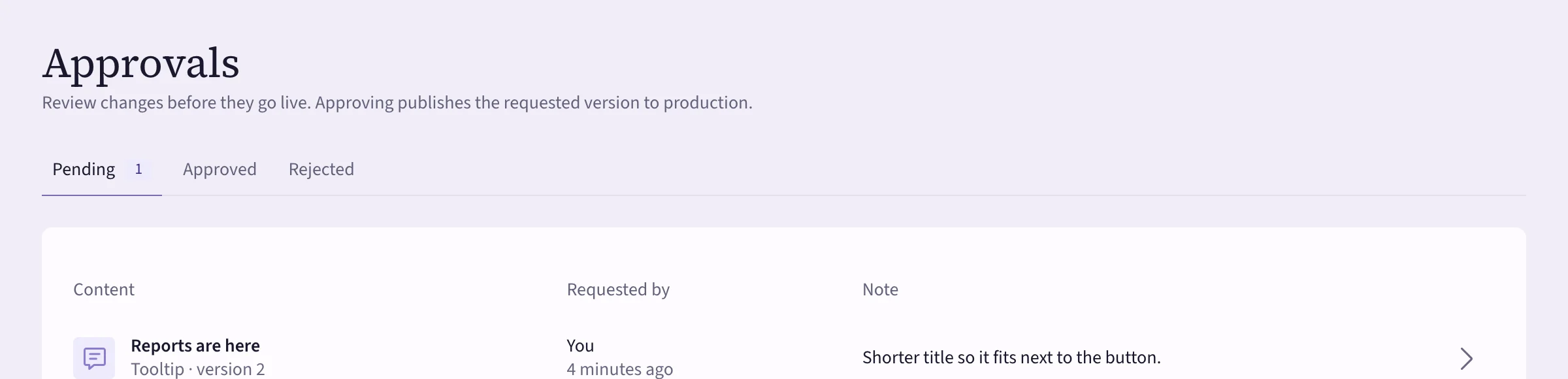 (opens the full-size image)
Open a request to read the note and see exactly what changes against what's live, then:
- Approve and publish — that version goes live in production right away.
- Reject — say what needs to change. The person who asked gets your note by email. Nothing is published.
You can't approve your own request, unless you're the workspace's only publisher.
Who can request, publish and approve comes from each person's role. See Roles and permissions.