
Analytics overview
Reach, engagement, goals and your best-performing guidance, for the period you choose.
Open Analytics. Pick the period with the Date range menu; every number compares with the same-length period just before.
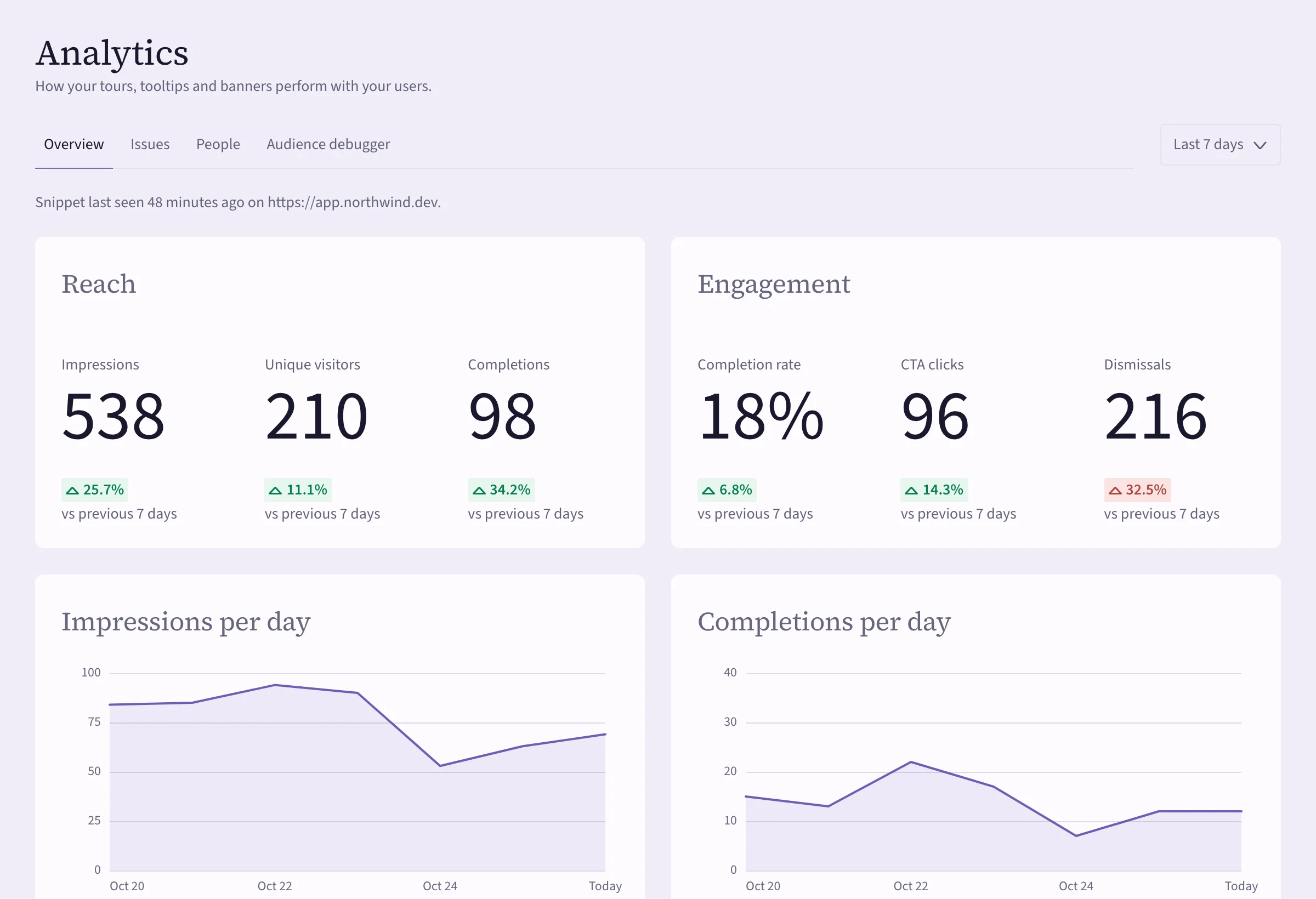 (opens the full-size image)
What the numbers mean
| Number | Counts |
|---|---|
| Impressions | Times guidance was shown. |
| Unique visitors | Different people who saw guidance. |
| Completions | Tours finished, tooltips and banners acknowledged, checklists completed. |
| Completion rate | Completions divided by impressions. |
| CTA clicks | Clicks on buttons that go somewhere. |
| Dismissals | Closed or skipped. |
Below that: impressions and completions per day, Goal completions (see Goals and experiments) and Top guidance, your items ranked by impressions. Open any item's row to see its own analytics. See Tour and checklist funnels.
At the top, "Snippet last seen…" tells you when Cueston last heard from your site. If it's been a while, see Get Cueston onto your site.
The other tabs
- Issues — guidance that couldn't find its element. See Broken targets.
- People — look up one person by the user id your app sends: what they saw, completed and dismissed, and their recent activity.
- Audience debugger — would this person see it, and if not, why? See My guidance doesn't show up.
Export
Export downloads CSV files: every event, totals per item, or tour steps. You need the Export analytics permission.
The dashboard's Performance card shows the same headline numbers at a glance.