
Versions and rollback
See what changed between versions, and put an earlier one back.
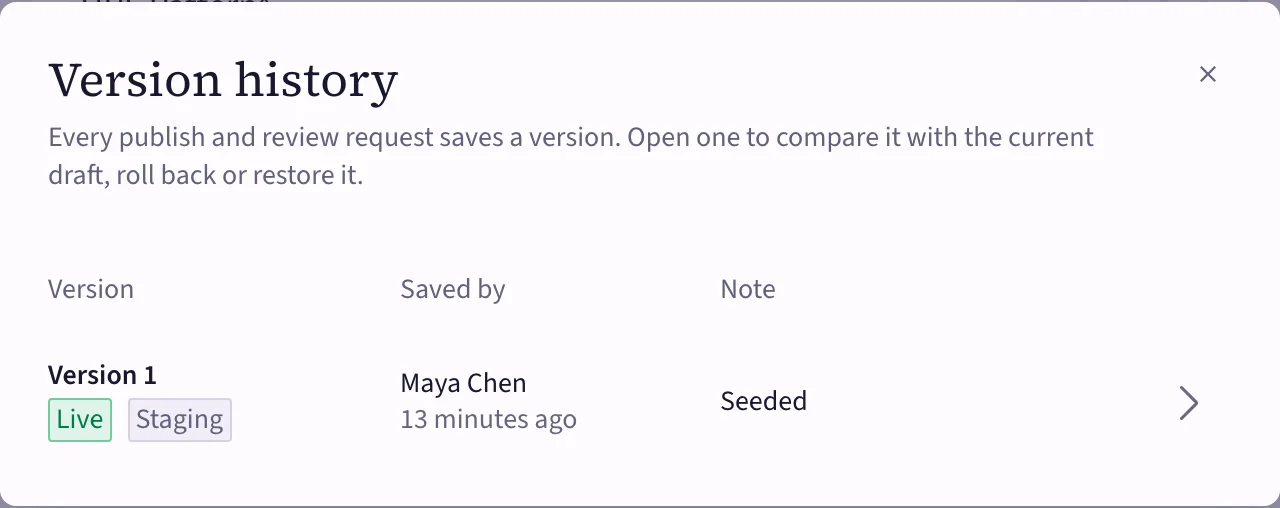
Every publish and every review request saves a numbered version of the item. Choose History in the editor's header to see them.
 (opens the full-size image)
Each version shows who saved it, when, its note, and where it's live. Open one to:
- Compare it with the current draft or another version, field by field.
- See its Contents.
Roll back
Something went wrong after publishing? Open the last good version and choose Roll back. Production serves that version right away; your draft isn't touched, so you can fix it calmly and publish again.
You can also publish a version to staging only.
If your workspace requires approval, rolling back production needs a review too: restore the version into the draft, then request a review.
Restore into the draft
Restore version copies an earlier version into the draft, to continue from it. Unsaved edits are discarded. Nothing changes for your users until you publish.