
Create your account
Sign up, name your workspace and find your way around the dashboard.
Sign up
- Open app.cueston.com/signup.
- Fill in Company name, Your name, Work email and a Password of at least 8 characters. The company name becomes your workspace name; you can change it later.
- Choose Create account.
You land on the dashboard. We also email you a link to verify your address. Open it so you can receive invites and password resets. If it didn't arrive, open Account settings and choose Resend verification email.
Your workspace
A workspace holds your team, your guidance, your settings and your keys. Everything you build belongs to one workspace. You're its owner.
- Rename it or add a logo in Settings → Workspace. The name and logo appear in the workspace menu and in invite emails.
- Need a separate space, for a second product or a test site? Open the workspace menu at the top of the side menu and choose Create workspace. Switch between workspaces from the same menu.
The setup checklist
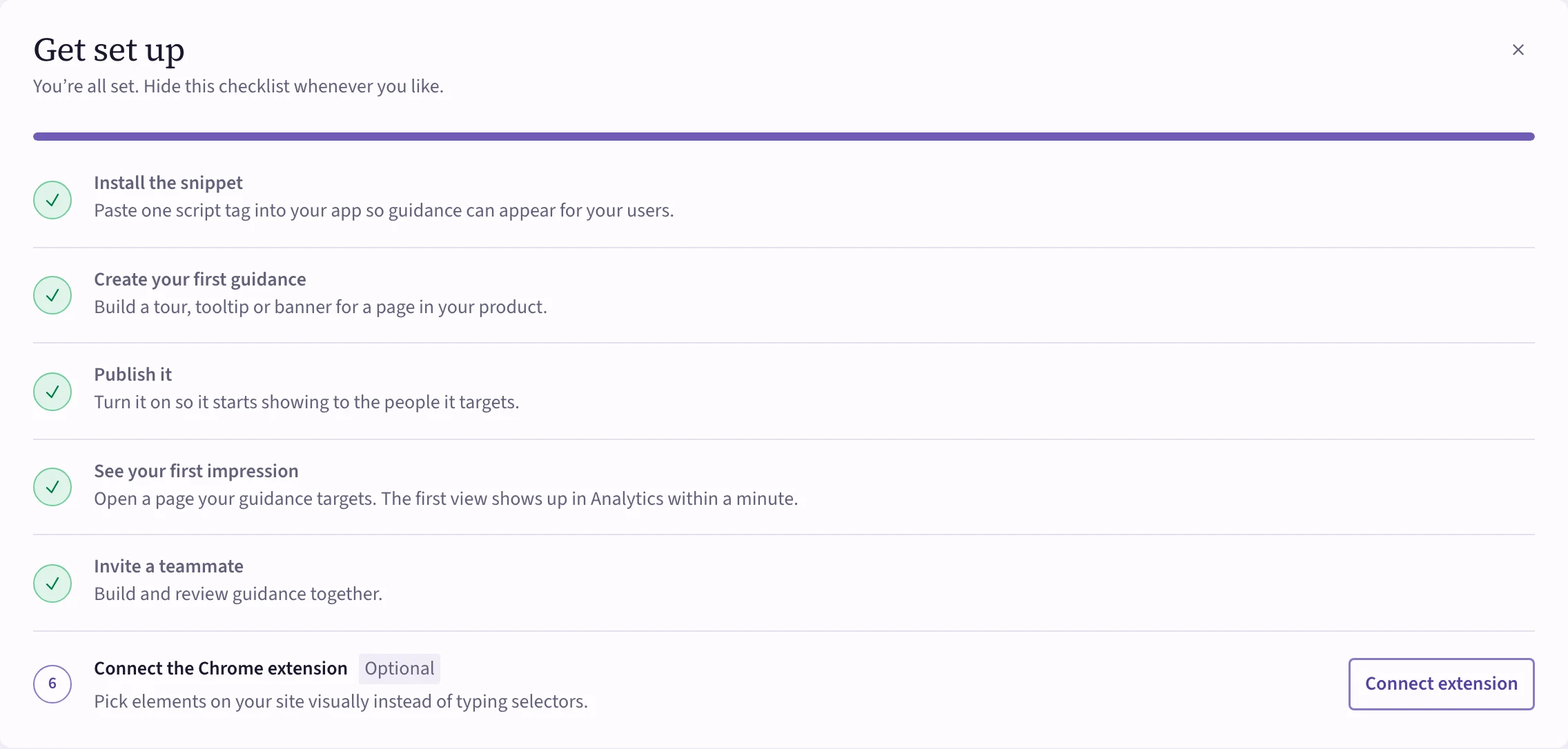
The dashboard's Get set up card walks you through the first steps and ticks them off as you go:
- Install the snippet — one script tag on your site. See Get Cueston onto your site.
- Create your first guidance — a tour, tooltip or banner.
- Publish it — so it starts showing to the people it targets.
- See your first impression — open a page your guidance targets. The first view shows up in Analytics within a minute.
- Invite a teammate — see Invite your team.
- Connect the Chrome extension (optional) — pick elements visually instead of typing selectors.
 (opens the full-size image)
Hide the card any time with its close button.
Find your way around
The side menu groups everything by what you're doing:
- Dashboard and Analytics — how your guidance is doing.
- Create — Tours, Tooltips, Banners, Checklists, Surveys, Announcements, Segments and Approvals.
- AI guidance — the AI assistant for your users. See AI guidance.
- Workspace — the Audit log and Settings.
- Support — Documentation.
You only see what your role allows. If something is missing, ask an admin. See Roles and permissions.