
My guidance doesn't show up
Go through this checklist, or ask the audience debugger why.
Check these first
- Is it published to production? Its status should say Live. Drafts and staging-only items don't show on your live site. If the status says Unpublished changes, people still see the previous version.
- Is the snippet on that page? In Settings → Install, choose Check connection while the page is open. If you set Allowed domains, the page's domain must be one of them.
- Does the page match? Compare the page's address with the item's page pattern. See Where it shows.
- Does the person match the audience? Rules about the person only work when your app identifies them. Visitors it doesn't identify only see items without audience rules. If the item uses a segment you just changed, publish the item again.
- Has it started? A scheduled item doesn't show before its start date and time.
- Have they already seen it? With Show Once (or Once), people who saw, completed or dismissed it won't see it again. Try with a different user, or a private window if your app doesn't identify you.
- Did something else take its turn? The workspace's interruption limits allow a set number of pop-ups per visit and per day; the highest priority wins. See When and how often.
- Is its element on the page? A tooltip or tour step whose element is missing doesn't show. See The element can't be found.
- Is the person in the control group? If the item has a Holdout, that share of people never sees it. See Goals and experiments.
Ask the audience debugger
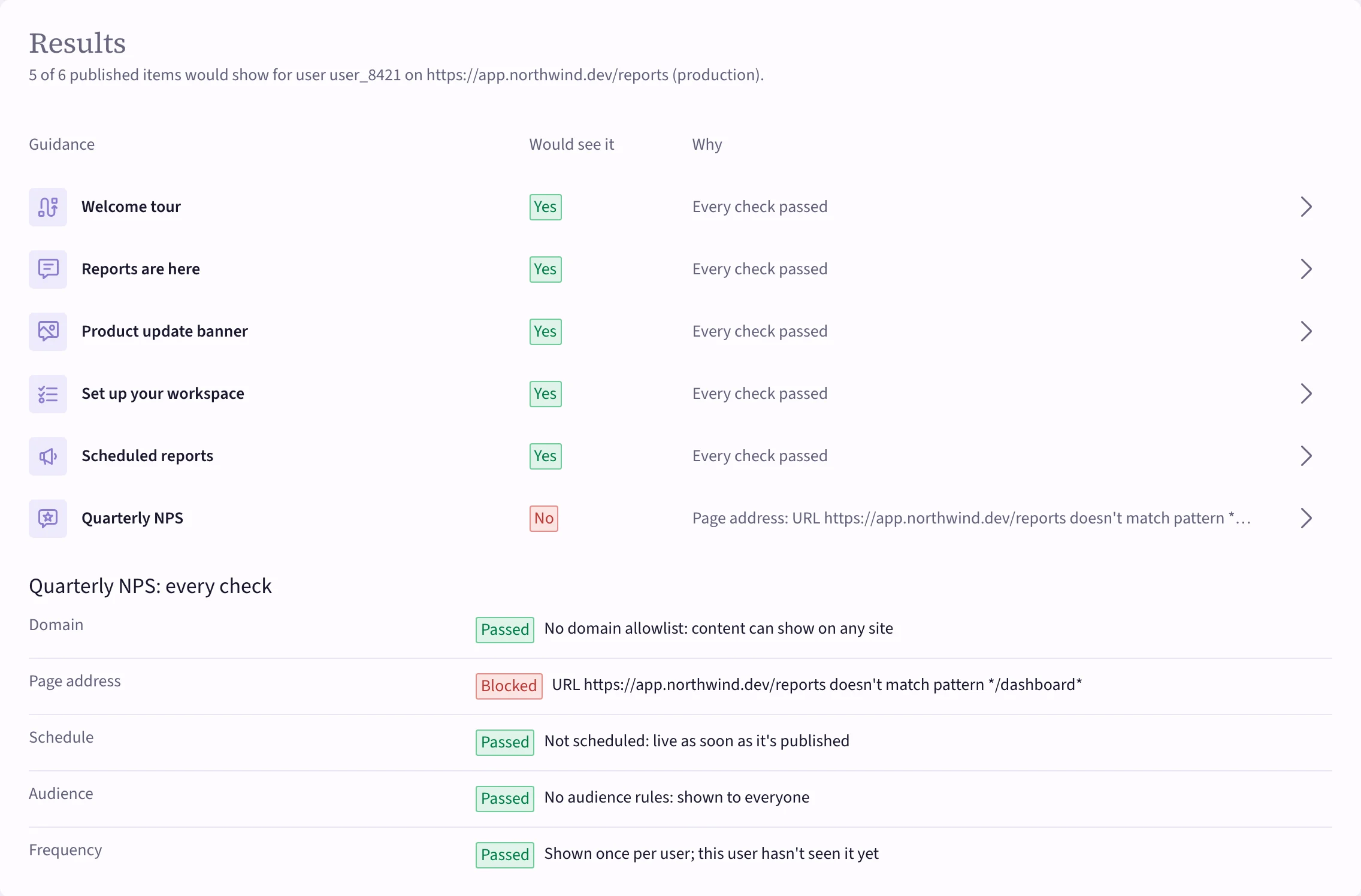
Analytics → Audience debugger answers "would this person see it?" for every published item, and says why not. Nothing is recorded and nobody sees anything.
- Enter the Page address.
- Optionally enter the person's User id (so their real history counts toward frequency), their Locale, Device and Traits: what your app sends about them, one
key: valueper line. - Pick Production or Staging and choose Check.
 (opens the full-size image)
Each item shows Yes or No, and its checks one by one: domain, page address, schedule, audience and frequency. The one marked Blocked is your answer.
Still stuck? Your developer can check the browser console on that page; see Install the snippet.